
For marketing and communications teams in local government, the pressure is real. Requests come from every department, priorities compete, and the project list never seems to end. Knowing which numbers to focus on makes all the difference.
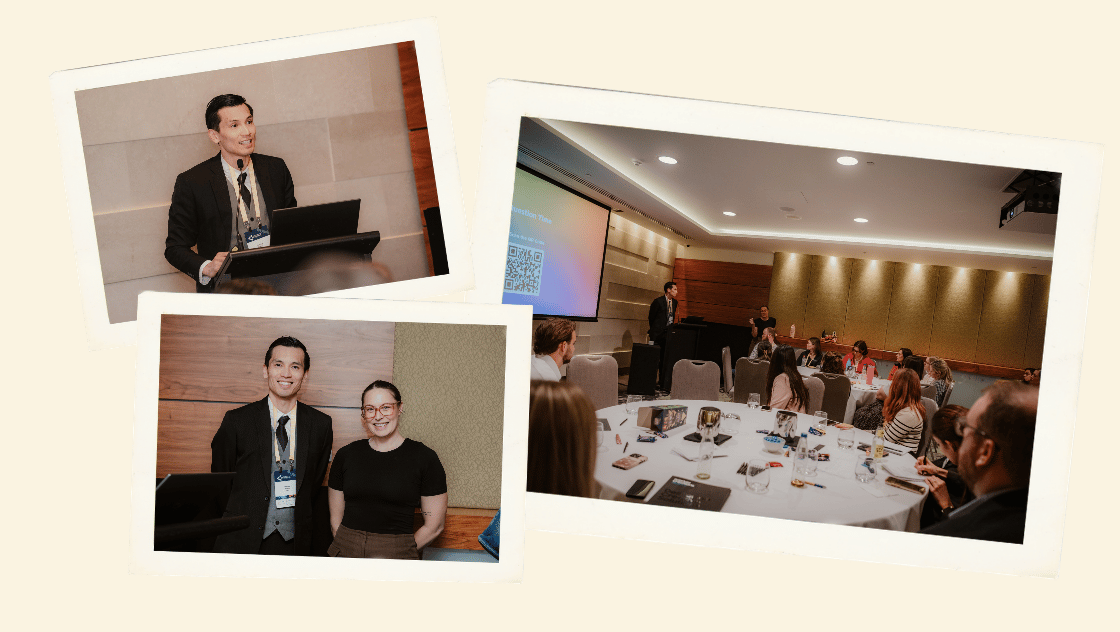
At this year's LG Professionals WA Commtelligence event, we shared a practical framework to help turn website data into confident content decisions. The aim is simple: less guesswork, more evidence. That makes it easier to prioritise requests and to show the value of your work.
This article walks through that framework using a problem almost every council website faces: residents who can't find their bin day. Along the way, we explain two of the most useful research methods for local government websites, tree testing and usability testing.
Why website data can feel overwhelming
Here's something local government comms people never say: "I opened Google Analytics and knew exactly what to do."
Analytics tools give you thousands of numbers, but they don't tell you which ones matter or what to do next. The fix is to flip the process around. Instead of starting with the data and hoping for an insight, start with a problem residents actually have. Then go looking for the data that helps you solve it.
Quick tip: if the data you're looking at is too complicated to explain to a colleague in a sentence or two, stop. Go back to your question and find a simpler measure.
A 5-step framework for council website decisions
- Set the goal. Describe the outcome you want, from the resident's point of view.
- Find the data. Analytics tells you what people are doing. User research tells you why.
- Interpret the data. Look for patterns, sticking points and the words residents use.
- Make the change. Update content, labels, navigation, design or forms.
- Test the change. Compare the before and after, and test again.
Writing the goal first keeps you focused. It also gives you something clear to report on when you need to show leadership what your work achieved.
Putting it into practice: "I can't find my bin day"
Bin days are one of the most common reasons residents visit a council website, and one of the most common reasons they call when they can't find the answer.
Step 1: Set the goal
Residents can find their bin day online without calling.
Step 2: Find the data in your site search report
Your website's search box is one of the best sources of insight you have. Every search is a resident telling you, in their own words, what they want and couldn't immediately see.
In Google Analytics 4, go to Reports > Engagement > Events and select view_search_results. Set the date range to 12 months so seasonal spikes don't skew the picture.
Site search tracking does need to be set up, and search terms sometimes need an extra step to appear in reports. If you're not sure it's in place, ask your web team or website partner. It's a quick job.
Step 3: Interpret the data
In the example we shared at Commtelligence, "bin day" was the most searched term by a wide margin. It was followed by many variations, including "bin collection", "when is my bin day", "bin calendar", "green bin" and "what goes in which bin".
That tells us three things:
- Demand is high. This is a top task and deserves priority.
- Residents may not be finding it through your menus. Many people search because the navigation didn't get them there.
- Residents have their own language. They say "bin day", not "Household Recycling and Waste" or "Waste Services".
When menu labels use organisational language and residents use everyday language, people get lost. Analytics gives you clues, but to check whether a new menu will actually work better, you need to test it with people. That's where tree testing comes in.
What is tree testing?
Tree testing shows people a text-only version of your website menu (the "tree") and asks where they would click to complete a task. There's no design, images or search box to help them, so it tells you whether your navigation makes sense on its own.
How it works:
- Give participants a realistic task. For example: "You have just moved house. Where would you find your bin day?" Avoid using the same words as your menu labels.
- See where they click first, and where they end up. If people head the wrong way straight away, your top-level labels need work.
- Review the results. A low success rate means your labels don't match how residents think.
- Test a new menu. Run the same tasks on a proposed menu so you can compare.
Online tools such as Optimal Workshop (Treejack), Useberry and Maze make tree testing easy to set up and share with residents.
Quick tip: test a handful of your top tasks, not your whole website. Bin days, rates and dog registration are good places to start.
When we redeveloped the City of Joondalup website, tree testing showed some menu labels were too ambiguous, so they were rewritten in clearer language. In later testing, participants found information in an average of 26 seconds on the new site, compared with 66 seconds on the old one.
Step 4: Make the change
- Menu labels: use residents' words, such as "Find your bin day" rather than "Waste Services".
- Page content: include common variations, such as bin day, bin collection and recycling day. This also helps the page appear in Google and AI search results.
- Buttons: describe the task, such as "Check my bin day".
- Design: make the "Find your bin day" button prominent, especially on the home page and on mobile.
Step 5: Test the change
Ask customer service whether bin day calls have dropped, check for more visits to your bin day page and fewer repeat searches, and re-run your tree test to confirm the new menu works.
Usability testing: when the problem isn't the menu
Sometimes residents find the right page but still don't complete the task. Online forms are a common example. Analytics can show you how many people start a form like dog registration compared with how many finish, but not why they gave up.
Usability testing fills that gap. You watch people try to complete a real task on your website and note where they hesitate, get confused or give up.
How to run a simple usability test:
- Recruit 3–5 residents who would actually do the task, such as dog owners. Once they start repeating the same mistakes, you've found your problem areas.
- Test on a phone, because that's how most residents use your website.
- Ask them to think aloud, and don't help. The moments where they get stuck are what you need to see.
- Record the session using the phone's built-in screen recorder or a tool such as Useberry.
Common fixes include telling residents what they'll need before they start, removing questions you don't need, accepting phone photos for uploads and using plain-English instructions. Then check whether online registrations go up and phone and counter registrations go down.
Tree testing and usability testing are just two user research methods. Card sorting, surveys and interviews can also help you understand how residents think. To learn more, read User research deep dive part 1: What is it? and User research deep dive part 2: How does it work?.
Frequently asked questions
What is the difference between tree testing and usability testing?
Tree testing checks whether people can find information using only your menu labels and structure. Usability testing watches people complete a real task on your website, so it also reveals issues with design, content and forms.
What data should local government comms teams look at first?
Start with your site search terms. They show what residents want in their own words and often point straight to your top tasks.
Better data means better service
When you use evidence to guide website decisions, residents find what they need faster, more people help themselves online and your customer service team takes fewer avoidable calls. You also have clear results to show leadership, which makes it easier to prioritise requests and demonstrate the value of your team's work.
You don't need to do everything at once. Pick one problem, set a goal and work through the five steps.
How ALYKA can help
User research is part of how we design and build local government websites on Xperience by Kentico. Our user research services include tree testing, card sorting, usability testing, surveys and interviews. See how research shaped a council website in our City of Joondalup case study.
A big thank you to the LG Professionals WA Commtelligence Committee for inviting us back, and to everyone who came along. If you'd like help turning your website data into action, talk to us. To stay in the loop with useful resources like this, subscribe to our monthly local government newsletter.